
Today’s B2B sales teams are contending with an ever-growing number of stakeholders (13 on average, according to Forrester’s newest data), a larger and more sophisticated tech stack, and often, highly complex pricing and product configurations. The end result? A sales process that’s lengthier and more difficult to navigate than ever before.
A tremendous need exists to streamline business processes – according to Siftery, top companies use an average of 37 different tools or platforms to run their day-to-day operations. And 83% of orgs cite integrating those tools as one of their top priorities.
If you’re a HubSpot user, that’s the central platform most of your sales, marketing, CS, and data tools will connect to. It’s the primary source of your customer-facing processes (and their resulting data), so merging it with other tools in your tech stack allows you to create automations and glean business insights like never before.
The value of HubSpot CRM integrations
HubSpot is one of the most popular CRM solutions for sales and marketing teams, and like other leading CRMs, it connects with hundreds of third-party software applications, thus expanding its usability and versatility as a central business tool.
More and more sales teams are choosing software that easily integrates with their HubSpot CRM so they can improve productivity, streamline operations and communications, ensure data hygiene within their CRM, and reduce administrative overhead. This also enables them to gain the most value from their existing CRM investment.
With more than 400 HubSpot integrations available on their App Marketplace, we’ve compiled a list of 12 popular sales tools so you can easily identify some tried-and-true solutions that will help you achieve a more frictionless sales experience.
1. Chili Piper
Chili Piper is software that helps sales teams automatically schedule meetings with leads, without the annoying back-and-forth emails. It works with HubSpot Forms by collecting and moving booking data in real time and syncing meeting data with the contact’s information, while automatically updating your HubSpot CRM.
Some key benefits of this integration include:
- Instant meeting booking from HubSpot forms
- Calendar syncing and SDR-AE handoff automation
- Lead routing from CRM data (e.g., lifecycle stage, company size, region)
- Real-time meeting logging and contact record updates
- Shorter sales cycles with more meetings booked
If you’re looking to configure lead routing and improve scheduling functionality to convert inbound leads into qualified meetings, this is a worthwhile integration for your organization.
2. DealHub
DealHub offers a unified platform for product configuration, quotes, proposals, contracts, billing, and subscription management. Among other things, sales teams can use DealHub’s CPQ integration with HubSpot to generate price quotes and proposals from within the HubSpot UI. Having this quote tool in HubSpot makes it easy for sales reps to sell according to a predetermined sales strategy (using an intuitive sales playbook), send sales proposals in record time, and carry out a smooth and quick sales process.
DealHub’s configure-price-quote functionality also enables anyone – from sales reps to account managers to customer success managers – to easily generate renewal, upsell and cross-sell opportunities from within HubSpot CRM. This ensures a more frictionless sales process, and ensures data is kept accurate and up-to-date in a single location, easily accessible across the organization.
Some key benefits of integrating DealHub CPQ with HubSpot CRM:
- Accelerate selling with an intuitive guided selling playbook
- Easily configure complex price quotes
- Generate accurate and professional proposals in seconds
- Ensure compliance and remove bottlenecks with automated approval workflows
- No-code configuration environment for easy CPQ maintenance
- Auto-sync deal status, pricing, approvals, and signatures with HubSpot records
On top of that, we introduced DealRoom for HubSpot CRM a couple of years back. Instead of sending PDFs, reps can use DealHub to send buyers a branded microsite with the quote, proposal, eSign, and even video walkthroughs.
If you’re searching for the most complete and connected revenue workflow that sets your sales team up for success, DealHub is the highest-rated CPQ on the market – and it now integrates with HubSpot CRM.

3. DocuSign
DocuSign’s platform helps you manage electronic agreements and provides a suite of applications for automating and connecting the entirety of your agreement processes. It replaces printing, faxing, scanning and overnighting paper documents to transact business, by allowing companies to send, sign and manage agreements anytime, anywhere, from any device. This enables organizations to make every agreement fully digital to keep business moving forward. By integrating DocuSign with HubSpot CRM, you can create, customize, send and track DocuSign envelopes (a container for documents that need to be sent and signed.)
Iterating DocuSign with HubSpot CRM enables you to:
- Send DocuSign envelopes directly from HubSpot
- Track envelope status without leaving HubSpot
- Trigger contract automation via DocuSign
- Apply HubSpot Custom Fields in DocuSign
If you experience friction or delays in your agreement processes, this integration may be a valuable and even critical solution for not only your sales department, but your entire organization.
4. Drift
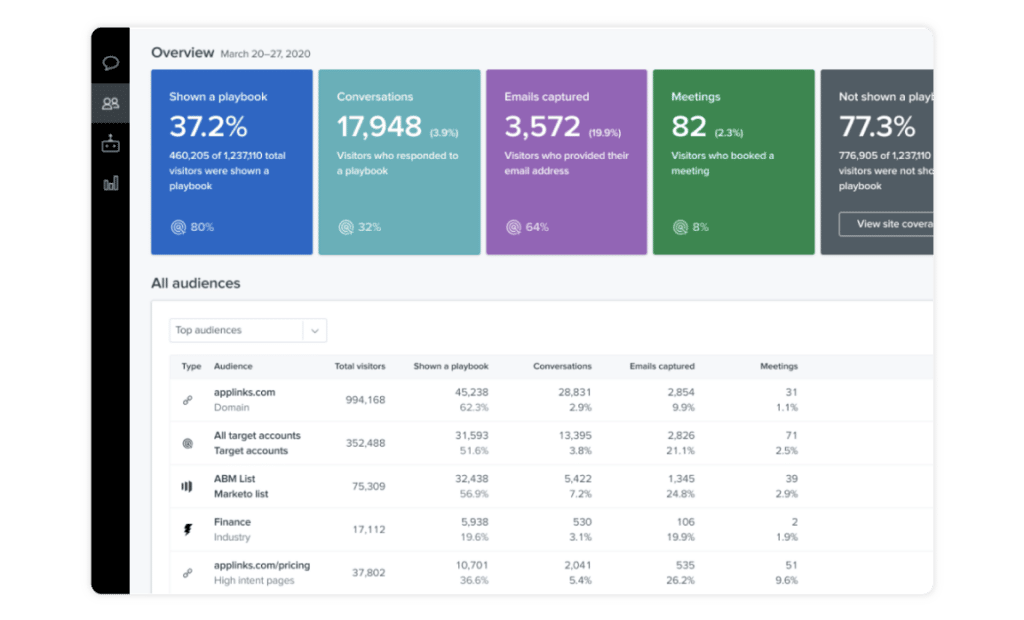
Drift’s platform helps companies grow revenue and increase customer lifetime value by combining conversational marketing with conversational sales. Their solution automates sales communications by adding live chat windows to websites, enabling customers to converse with businesses at any time, on their own terms. Integrating Drift and HubSpot CRM enables your company to transfer data directly from your Drift conversations to HubSpot.
Integrating Drift and HubSpot CRM enables your company to transfer data directly from your Drift conversations to HubSpot. When someone chats on your site, Drift can automatically create or update a contact in HubSpot, add key info from the conversation (company, email, intent), and assign it to the right rep.
By integrating Drift and HubSpot CRM, you’ll be able to:
- Deliver personalized online customer experiences
- Automatically create and nurture leads in HubSpot
- Make sure email responses get the right follow-up
- Push updates in Drift (like a phone number collected by a bot) to HubSpot
- Attribute closed-won revenue to Drift conversations inside HubSpot reporting
This is a great solution for companies looking to initiate conversations and campaigns in real time with website visitors.
5. Gong
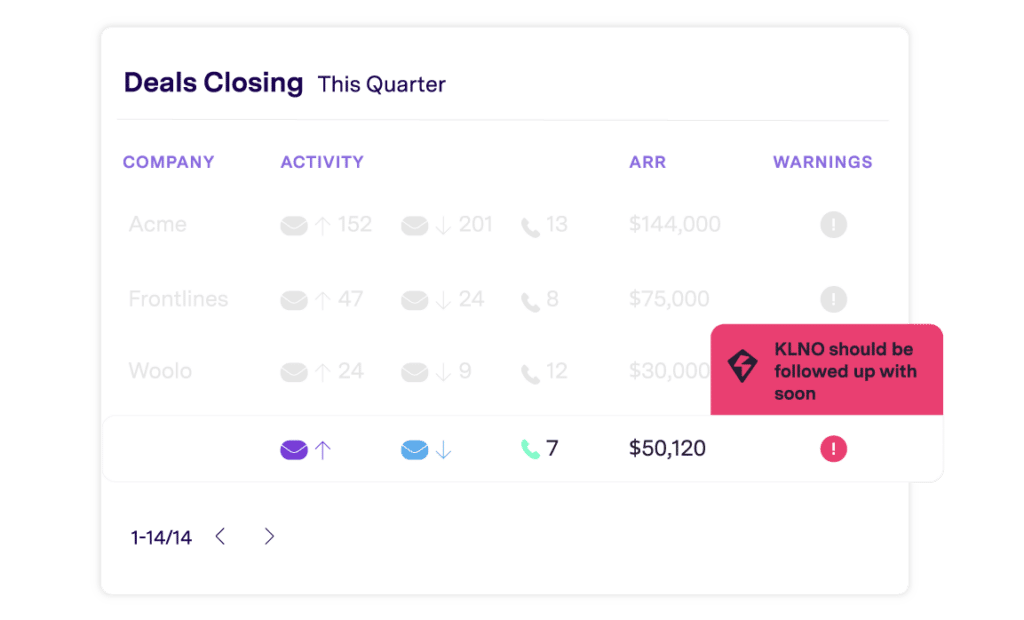
Gong’s platform captures buyer/seller interactions, understands what was said, and delivers insights to sales teams. By integrating Gong and HubSpot CRM, you gain visibility into how your sales reps are interacting with your customers, and what’s going on in their accounts. In turn, this can enable you to replicate the behavior of your top performers.
Integrating Gong with HubSpot CRM provides you with benefits such as:
- Gaining visibility into conversations with customers
- HubSpot dialer call analytics
- Shared data between platforms
- Automated triggers like “follow up if no response after demo”
With deal intelligence right within HubSpot, this also gives you better rep accountability and sales coaching opportunities. Gong highlights top-performing behavior (talk ratios, questions asked, etc.) and connects it to HubSpot outcomes (like deals won/lost).
If you want to gain visibility into your customer conversations and gather data about what works best and what practices can be improved, this can be a valuable integration for your organization.
6. LinkedIn Sales Navigator
LinkedIn Sales Navigator helps businesses target and engage with the right buyer persona, and track key leads and company changes. By integrating it with HubSpot CPQ, you can view LinkedIn insights right in your HubSpot contact and company records. And you can launch InMails right from HubSpot, save leads, add contacts to Sales Navigator, and include InMail tasks in HubSpot sequences.
Some benefits of this integration include the ability to:
- View LinkedIn data (job title, time in role, shared connections, etc.) within HubSpot
- Send InMails directly from contact and company records
- Manage LinkedIn Sales Navigator tasks on mobile
- Sync contacts, accounts, and deals automatically
It also helps you discover the right prospects faster. Features like “Find Key People” show who to target within HubSpot accounts. And you can validate or update outdated CRM data using LinkedIn info.
If your organization is focused on optimizing targeting and engagement of leads on LinkedIn, this is a great integration option.
7. Outreach
Outreach is an email engagement and intelligence platform that enables teams to connect with prospects and customers in meaningful ways by providing detailed analytics about email outreach campaigns. As a result, you can determine the right approach to target your email outreach and boost communication with outbound sales prospects. By integrating it with HubSpot CRM, you can sync data between the two platforms to gain insights surrounding prospects and accounts.
Integrating Outreach and HubSpot CRM allows you to:
- Sync Outreach and HubSpot data
- Configure default field mappings
- Sync only the data you want
This integration can be a powerful solution for organizations looking to improve the way they communicate and engage with customers, and track and optimize those activities.
8. Postal.io
Postal.io is a sales and marketing platform that enables customer engagement by helping companies personalize, automate and scale the delivery of direct mail, events, branded company swag, and corporate gifts. Integration with HubSpot CRM makes it easier for companies to drive brand loyalty, increase conversions, boost overall employee happiness, and improve customer health.
Key features of this integration include:
- Workflows to automate the sending of gifts and direct mail
- Creating, designing and sending postcards, note cards and brochures
- Personalizing swag items
If you’re looking to introduce personalization and automation to your gifting and event campaigns, this may be a great solution for you.
9. Salesforce
Salesforce is a wide-ranging platform that enables companies of all sizes to manage contacts and customer relationships, track and pursue sales opportunities, facilitate and manage deals, and much more.
Salesforce + HubSpot CRM is an interesting combination because they’re both CRMs, and most people don’t need both. But when companies do integrate them, it’s usually because they’re using Salesforce as their sales CRM, but HubSpot for marketing.
Integration features include:
- Syncing leads, contacts, accounts, and opportunities between platforms
- Sending HubSpot form fills, website visits, and marketing activity into Salesforce
- Letting marketers trigger workflows in HubSpot based on Salesforce data (e.g., deal stage)
You can choose one-way or two-way sync for specific fields (e.g., contact owner, lead status, lifecycle stage). You get a custom mapping of what data flows where. You can also create HubSpot segments and trigger campaigns based on Salesforce data.
For example:
- “Send this email to anyone with a deal in Stage 3.”
- “Exclude customers from a product launch email if they already bought.”
If you’re already using Salesforce in your organization, integrating it with HubSpot is practically a no-brainer. But keep in mind that it’s not a fit if you’re trying to fully run sales and marketing in both systems. Pick one as primary, use the other as support.
10. Salesloft
Salesloft is a sales engagement platform that provides sales teams with a single resource to execute many of their digital selling tasks, communicate with buyers, understand next steps, and get the coaching and insights they need to win deals.
By integrating Salesloft with HubSpot CRM, you’ll be able to sync your contacts and accounts quickly and easily. SDRs can use Salesloft to book meetings and run outreach, while AEs work out of HubSpot. The integration keeps records aligned so nothing falls through the cracks.
Some key features of this integration include:
- Two-way data sync between the platforms
- Default and custom field mapping
- Sync only the data you want
- Unified deal visibility for managers and RevOps
It also helps you book meetings faster. Salesloft calendar links and email templates can use HubSpot contact tokens (like name, company, etc.) to personalize on the fly.
If you’re looking for a sales engagement system that helps you manage your digital selling process and that easily syncs with your HubSpot CRM, this may be a great choice for you.
11. Stripe
Stripe builds economic infrastructure to make it easy for businesses to start collecting credit cards online immediately – no merchant account or gateway necessary. By syncing Stripe with HubSpot CRM, you can create a smoother quoting and payment process.
Some key integration features include:
- Create trackable quotes that can be sent to prospects
- Quick and easy payment right from price quotes
- Automatic addition of new contacts and subscriptions to your CRM
If your organization encounters credit-card payment hurdles, integrating Stripe with HubSpot CRM may indeed be the solution you’re looking for.
12. Mailchimp
Mailchimp is one of the world’s best-known email marketing solutions. You can sync HubSpot lists (like leads, customers, or specific segments) into Mailchimp and run email campaigns based on that data. That means you don’t need to export/import contacts or worry about outdated lists. Just build it in HubSpot and send it from Mailchimp.
A few of this integration’s other strengths:
- Two-way contact sync whenever someone subscribes, unsubscribes, or updates
- Mailchimp email activity (like opens, clicks, bounces) reflected on the contact record in HubSpot
- Better segmentation and automation using HubSpot properties (like lifecycle stage, lead score, last activity) as triggers
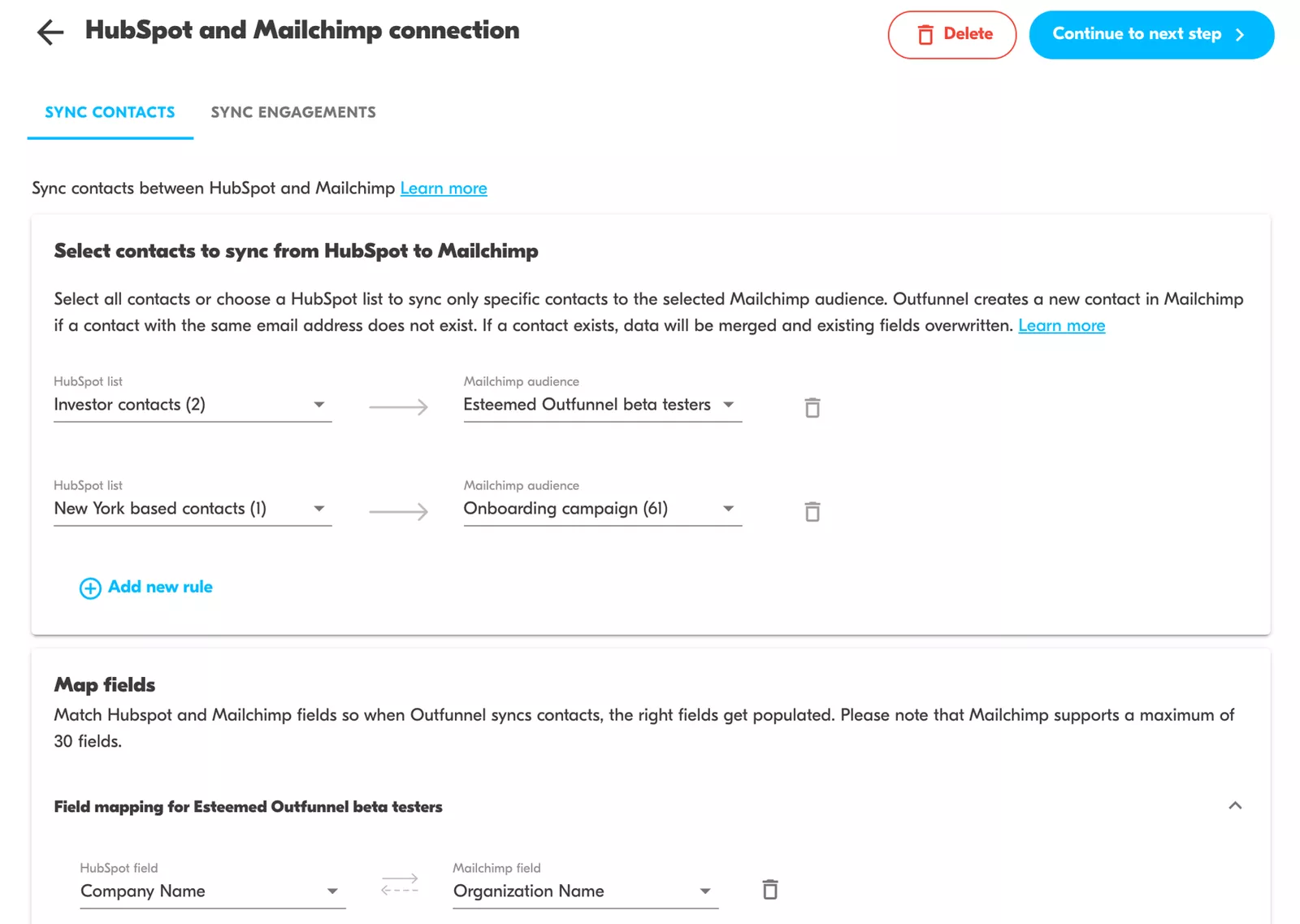
And if you’re using HubSpot CRM but not HubSpot Marketing Hub, Mailchimp gives you an affordable way to run automated email workflows using your CRM data. You get a solid email engine without upgrading to HubSpot’s full marketing suite.
Wrapping up
Sales teams today rely on innovative, connected tools to manage the entire deal cycle, from first touch to closed-won. But if those tools don’t integrate seamlessly with your HubSpot CRM, your team wastes time, duplicating work, and risking costly data errors.
Choosing sales tech that integrates with HubSpot means you can automate key steps in the sales process, eliminate manual data entry, and keep your team aligned with real-time insights and consistent information. It’s a smarter, faster way to sell, without the friction.